For the complete documentation index, see llms.txt. This page is also available as Markdown.

Biodiversity Observations

You can use biodiversity observations for BioBlitz entries, Project evidence, community science, and regular nature monitoring.

Add observations

A biodiversity observation can include:

  • a photo

  • a suggested or confirmed species name

  • field notes

  • date and time

  • location

  • an optional Project link

When to use this flow

Use Add observations when you already have photos from the field and want to upload them directly.

This is useful for:

  • BioBlitz submissions

  • community biodiversity walks

  • one-off species sightings

  • regular biodiversity monitoring

  • evidence for a Bumicerts Project

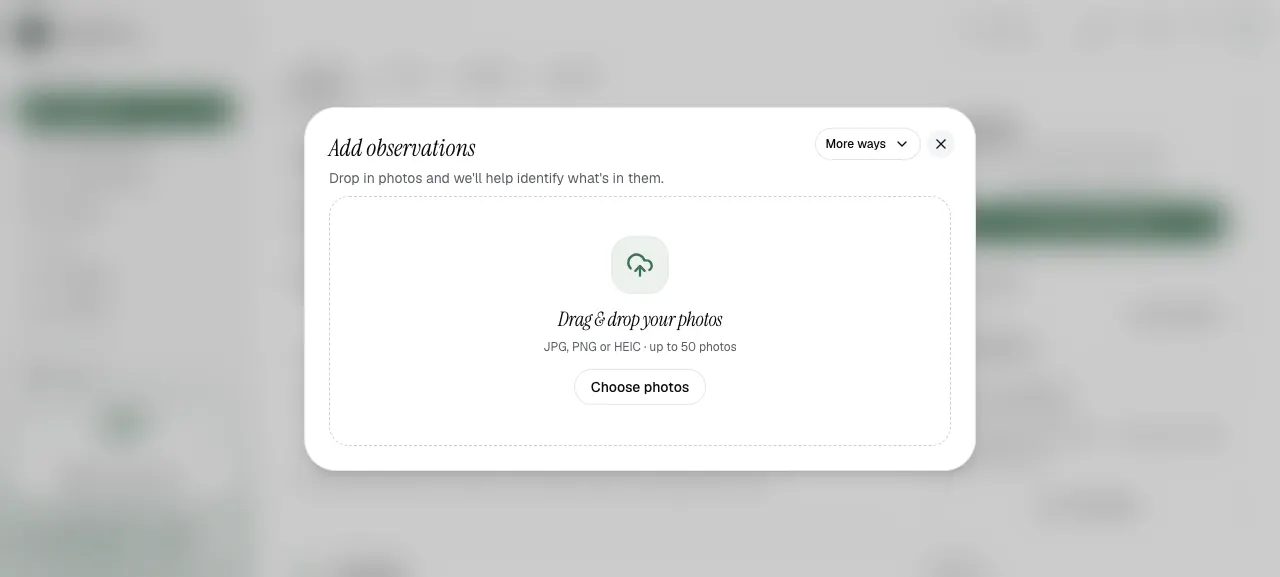
Step 1: Upload photos

Start by adding photos from your device.

Add observations upload modal
Upload photos through the Add observations flow.
Step 2: Review the observation

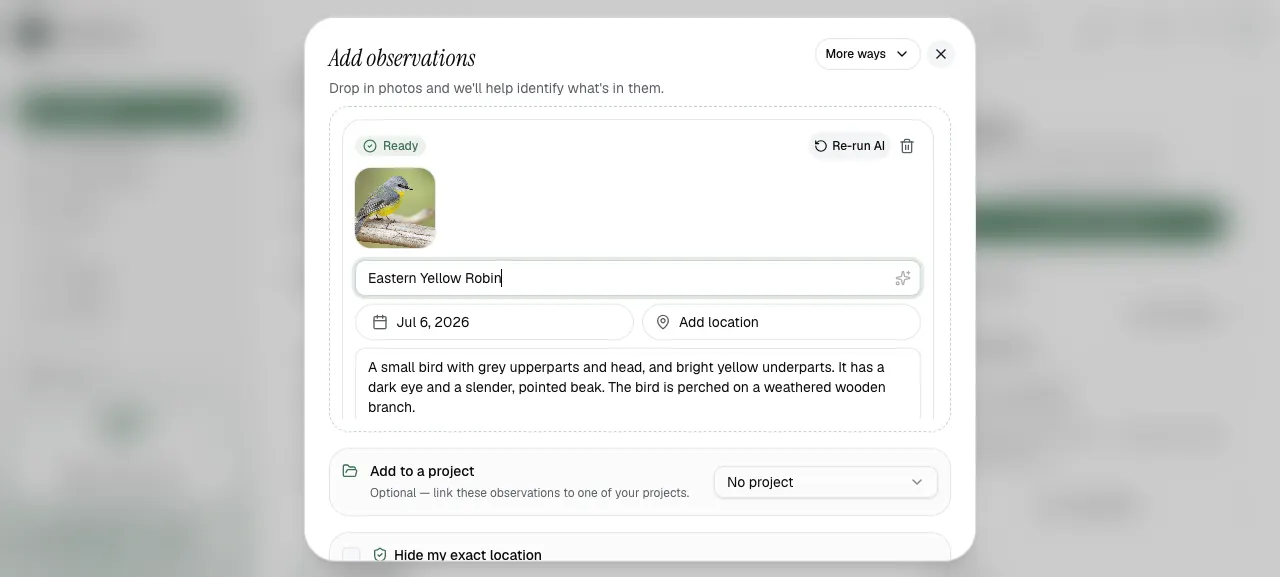
After uploading, review the suggested species name, date, location, and notes. AI can support the first identification, but users should still check the result.

Observation review screen with suggested species information
Review the suggested species name and add context before publishing.
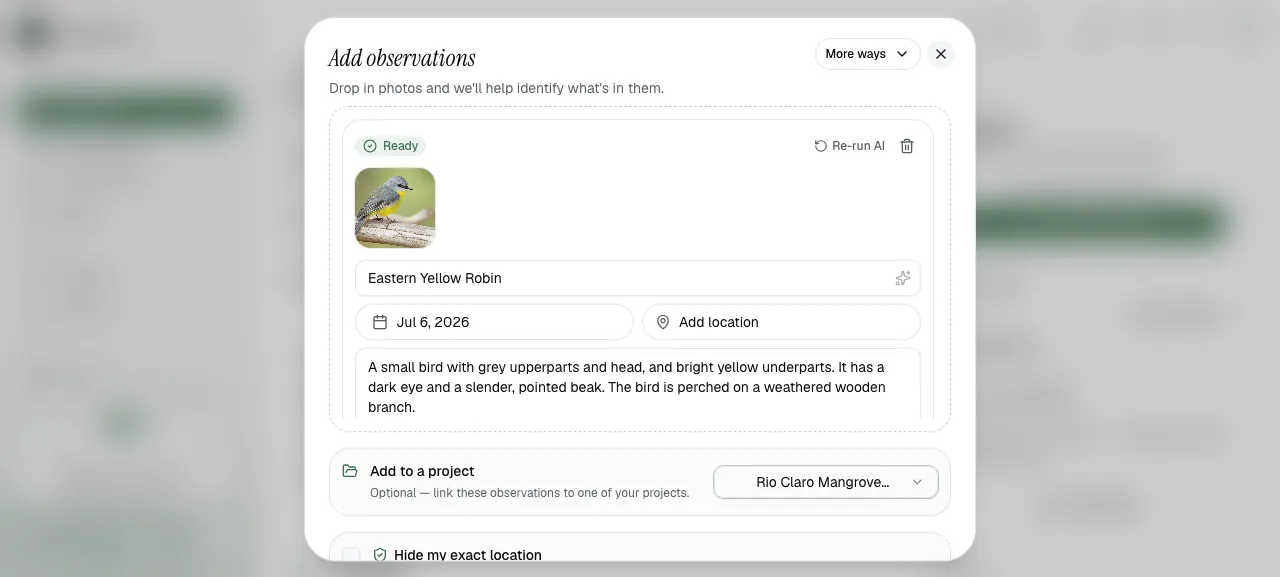
If the observation supports a Project, you can link it before publishing. This helps the Project show real evidence from the field.

You do not need a Project to upload biodiversity observations. You can start by uploading observations first and link them to a Project later.

Add observations form with project linking
Observations can be linked to a Project as evidence.
Location and sensitive species

Observation locations can be useful, but exact locations are not always safe to share publicly.

GainForest.app includes an option to hide your exact location when adding observations. Use this when you want the observation to be useful without revealing the precise place.

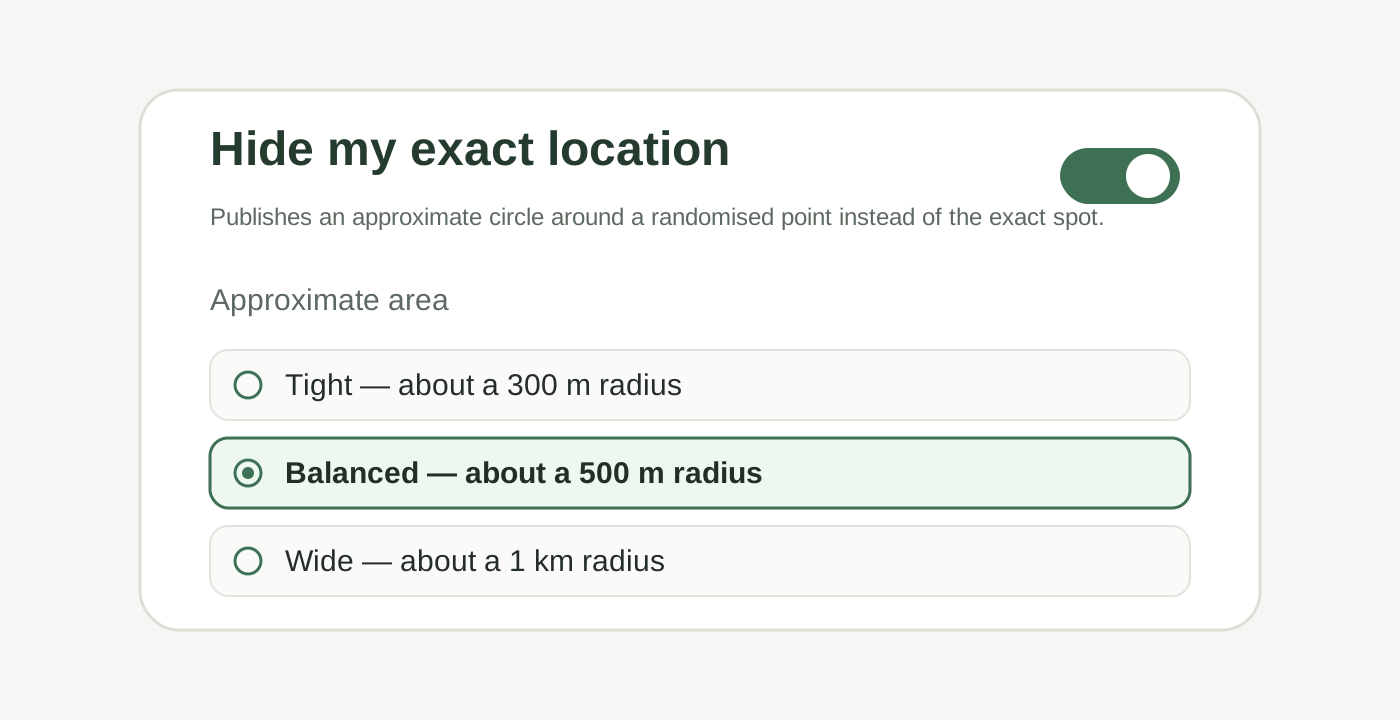
Hide exact location options: tight, balanced, and wide approximate areas
Use “Hide my exact location” if you do not want to reveal the precise location of an observation. You can choose a tight, balanced, or wide approximate area.

The current options are:

  • Tight — about a 300 m radius

  • Balanced — about a 500 m radius

  • Wide — about a 1 km radius

Consider hiding or avoiding exact location details if:

  • the species is rare or sensitive

  • the location is private

  • the information could put people, wildlife, or habitats at risk

  • the knowledge is culturally sensitive or should not be public

Good observation notes

Where possible, add short notes that explain:

  • what you saw

  • where it was found

  • who collected the observation

  • why it matters for the Project

  • whether the species name is confirmed or still needs checking

Linking Evidence to ProjectsWeekly BioBlitz Challenge

Last updated