For the complete documentation index, see llms.txt. This page is also available as Markdown.

Linking Evidence to Projects

The final step is to connect your uploads to a Project.

A Project is where your story, goals, updates, and evidence come together. Linking evidence helps other people understand what happened, where it happened, and what data supports your work.

Where evidence comes from

Evidence can come from the upload options covered in this section:

📸 Biodiversity observations

Species observations, field photos, dates, locations, and notes uploaded through Add observations.

🤖 Tainá observations

AI-assisted biodiversity observations created through Tainá on Telegram.

📦 Batch uploads

Larger datasets reviewed case by case, such as tree data, drone imagery, survey exports, field photo archives, or structured data.

🎙 AudioMoth bioacoustics

Sound recordings and deployment records from AudioMoth workflows.

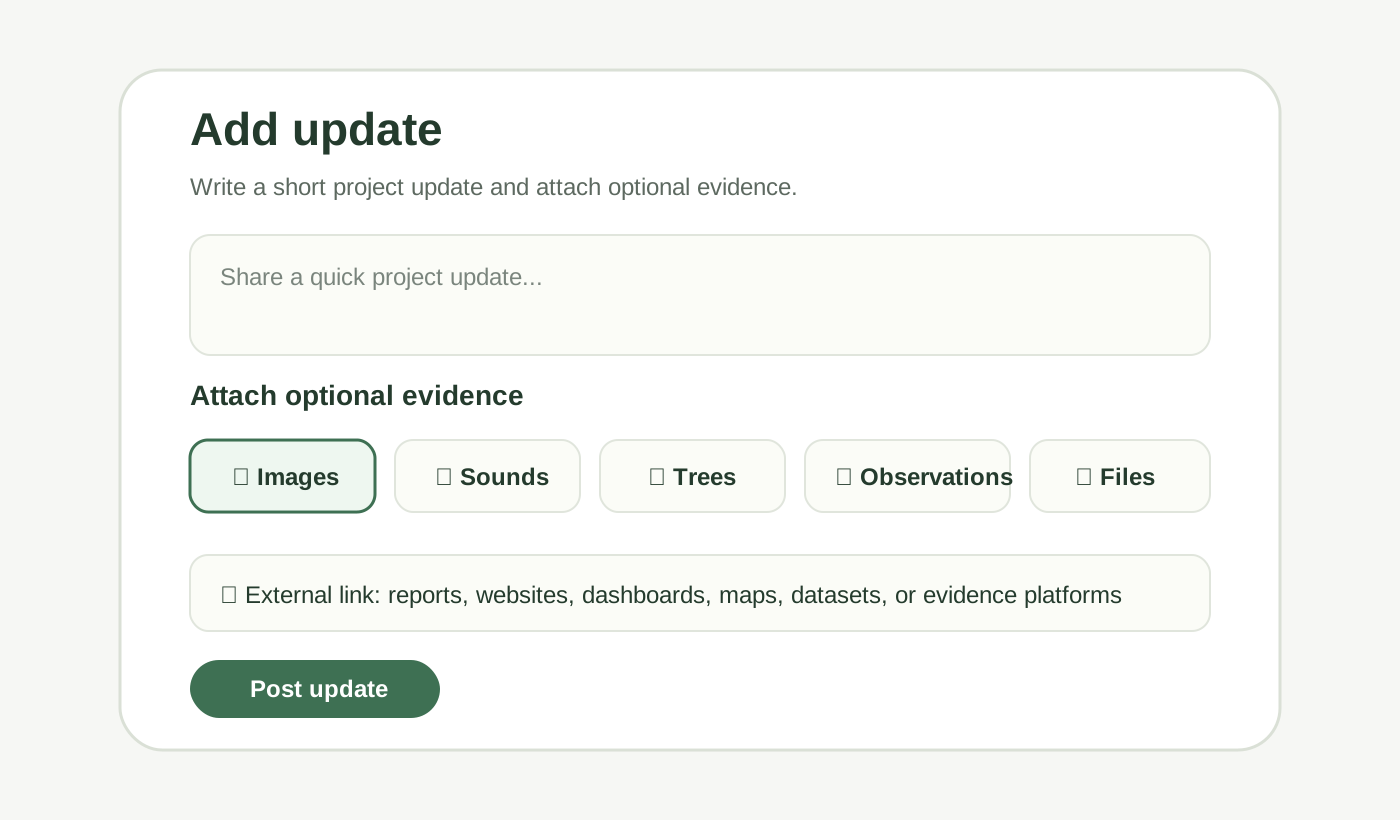
On a Project page, users can add an update and attach optional evidence.

Project update interface showing evidence options
Project updates can include text plus optional evidence such as images, sounds, trees, observations, files, or external links.

You can use this when you want to:

  • explain what the evidence shows

  • add context around a field activity

  • attach multiple records to a Project update

  • share files, reports, or external links

  • keep your Project timeline updated over time

What can be linked as evidence?

The main evidence types should match the upload options covered in this section:

📸 Biodiversity observations

Species observations, field photos, dates, locations, and notes from the Add observations flow.

🤖 Tainá observations

Biodiversity observations created through Tainá, including AI-assisted species suggestions and field notes.

📦 Batch upload outputs

Reviewed batch data such as tree data, drone imagery, survey exports, field photo archives, or other structured data.

🎙 AudioMoth recordings

Sound recordings, deployment records, playable previews, or spectrograms from AudioMoth workflows.

You can also add supporting material directly from the Project update flow:

  • write a short description or update explaining what happened

  • add pictures or image files

  • attach sounds or audio files

  • attach videos

  • attach documents, reports, audits, methodologies, certificates, or testimonials

  • add external links to websites, dashboards, maps, reports, datasets, or other evidence platforms

Accepted additional file formats

For direct file evidence, supported formats include:

📸 Images

JPG, PNG, GIF, WebP, AVIF, and SVG.

🎥 Video

MP4, WebM, MOV, and M4V.

🎙 Audio

MP3, WAV, M4A, OGG, FLAC, and AAC.

📄 Documents

PDF, text, Markdown, HTML, RTF, Word documents, spreadsheets, and presentations.

🔗 External links

HTTP or HTTPS links to reports, websites, dashboards, maps, datasets, or other evidence platforms.

When adding a file as evidence, users can choose a content type such as Document, Report, Audit, Evidence, Testimonial, Methodology, Photo, Video, Dataset, Certificate, Sound, or Other.

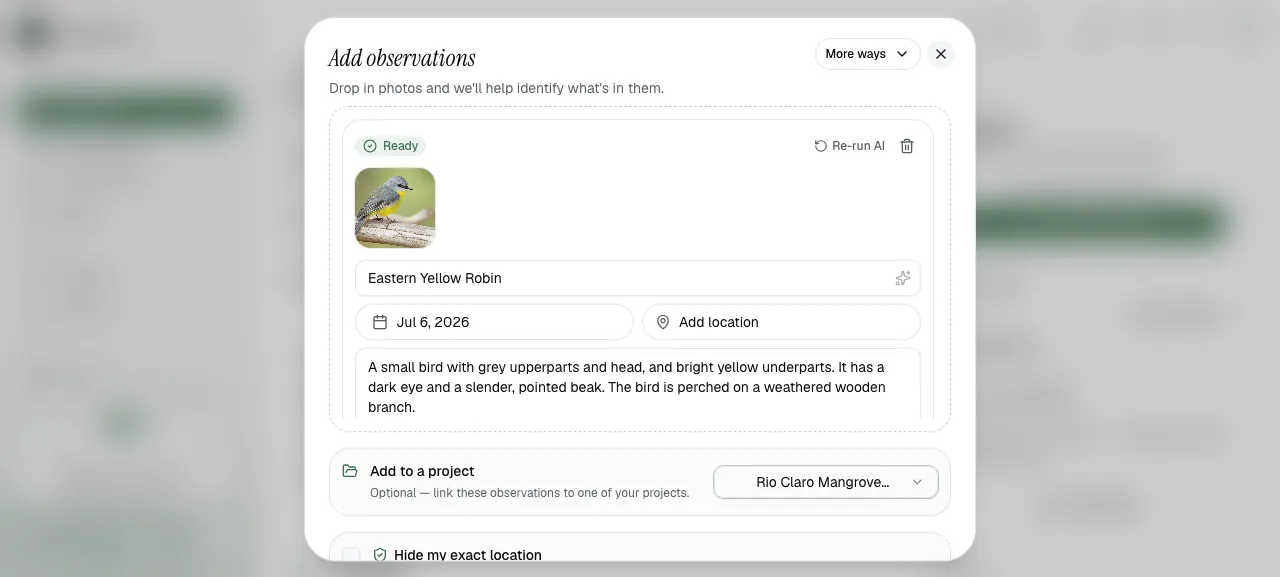
When adding observations, you can link them directly to a Project before publishing.

Add observations form with project linking
Use the Project selector to link observations to a Project.

You can also upload observations first and link them to a Project later.

Good evidence includes context

When linking evidence, add a short note if possible. Explain:

  • what the evidence shows

  • who collected it

  • when it was collected

  • where it was collected

  • why it matters for the Project

This makes the evidence easier to understand for people who were not present during the fieldwork.

Why this matters

Linked evidence helps a Project become more useful for:

  • impact reporting

  • grant applications

  • partner updates

  • community visibility

  • funder review

  • showing long-term stewardship

Biodiversity ObservationsTainá for ObservationsBatch UploadsBioacoustic Sensors

Last updated